| Audience | Marketers, lifecycle and CRM teams |
| Prerequisites | An email built in Build an email, and a journey |
A journey sends an email when someone reaches a Send email tile in it. You build the email the same way you would for a campaign, and the journey decides who receives it and when.
When to use a journey instead of a campaign
Use a journey when the email belongs to a sequence: a welcome series, a win-back, an abandoned-cart follow-up. The journey handles entry conditions, waits, and branching, and each Send email tile sends one email.
A journey is also how you send after a wait longer than 7 days, which is the limit for a single campaign send.
Add an email to a journey
The email is built exactly as it is for a campaign. If you haven't built one yet, start with Build an email and come back here to place it in the journey.
- Open your journey and add a Send email tile where you want the email to go.
- Give the tile a name. This becomes the name of the message. It's what you'll look for in reporting.
- Add content, either Choose a template or Start from scratch.
- Set the subject and preheader, then build the body. See Build an email.
- Personalize the content. Alongside profile attributes, a journey message can use properties of the event that triggered the journey. See Personalize a message.
- Preview it against a real profile and send yourself a test. See Preview and test.
- Set send limits if you need them.
- Publish the journey.
On the Send email tile, you set the email's metadata, send limits, and content.
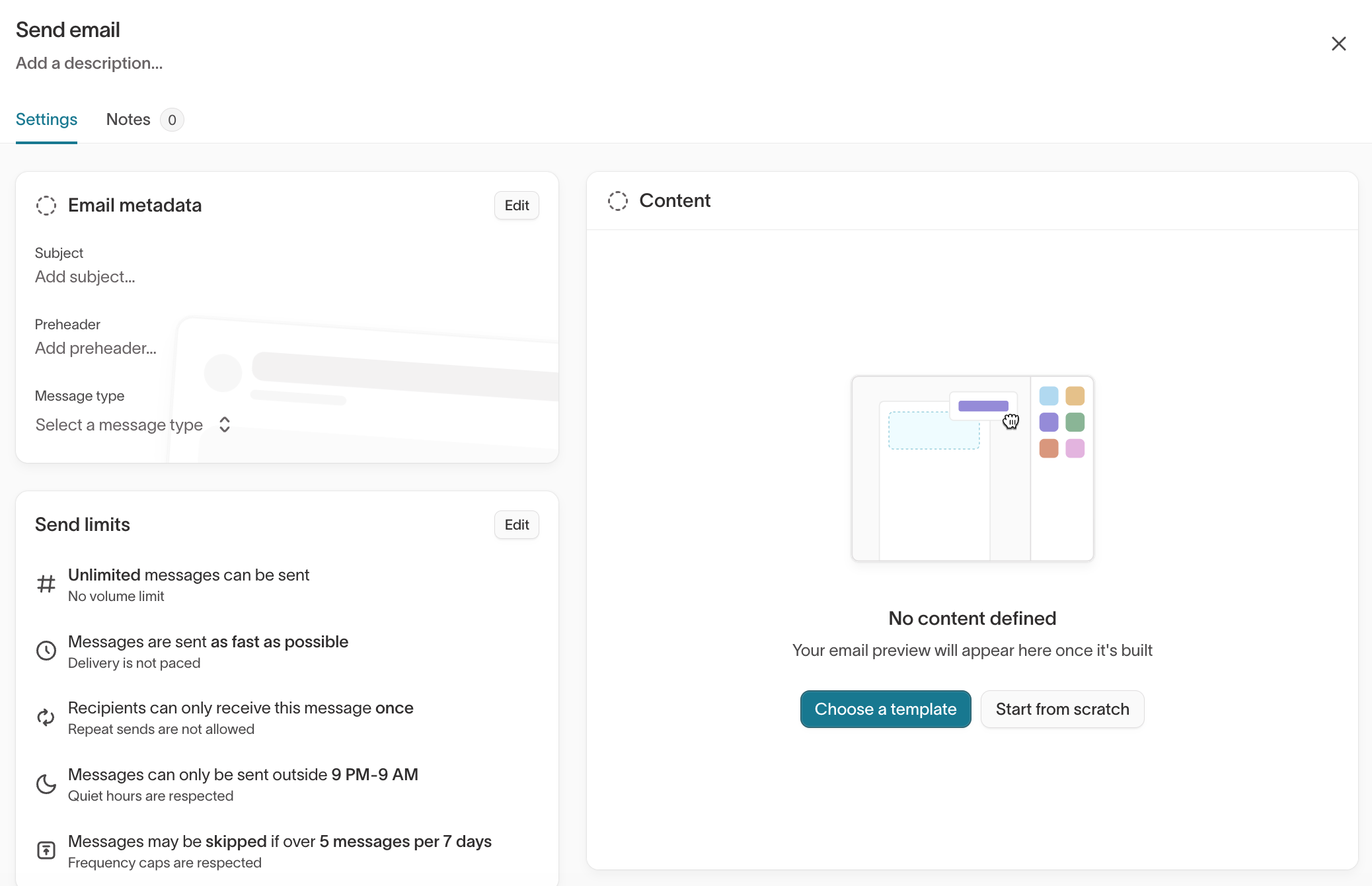
Select Choose a template or Start from scratch to build the body in the drag-and-drop editor. An email needs a footer before the journey can activate.
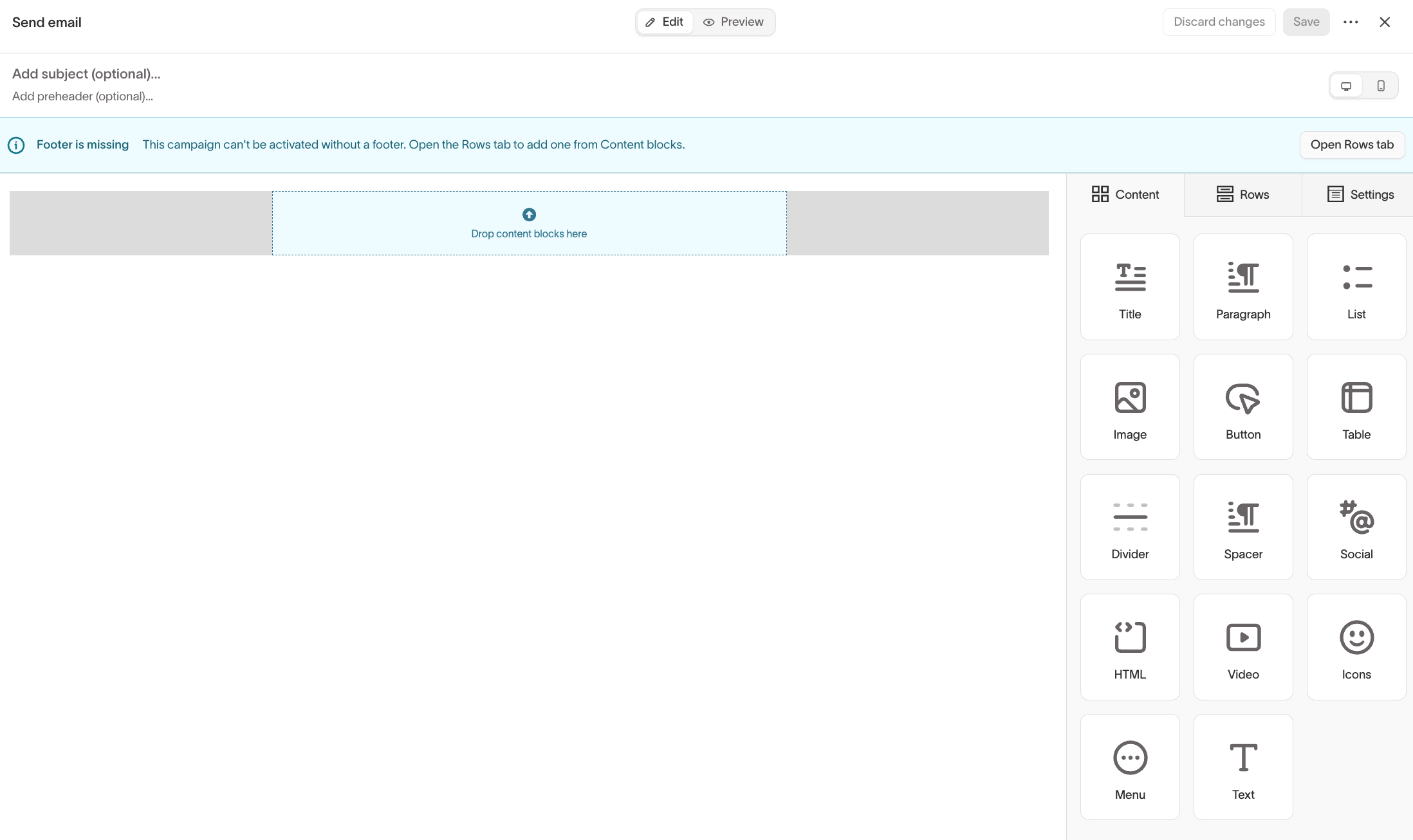
For building the journey itself, including entry conditions, waits, and branching, see the Journeys documentation.
What works the same
Content, personalization, preview and test, and send limits all behave as they do for a campaign. Subscription topics, unsubscribes, bounces, and suppression lists are enforced the same way.
One addition: a journey message can personalize on the event that triggered the journey, not only on profile attributes. An abandoned-cart email can reference the cart from the event that started the journey.
What's different
You don't attach an audience or a schedule to the message. The journey decides who reaches the tile and when. Neither control appears on the message.
Reporting is per message, not per send. You see how the email performs overall, but because a journey has no runs, there's no per-send breakdown and no Skipped or Expired columns.
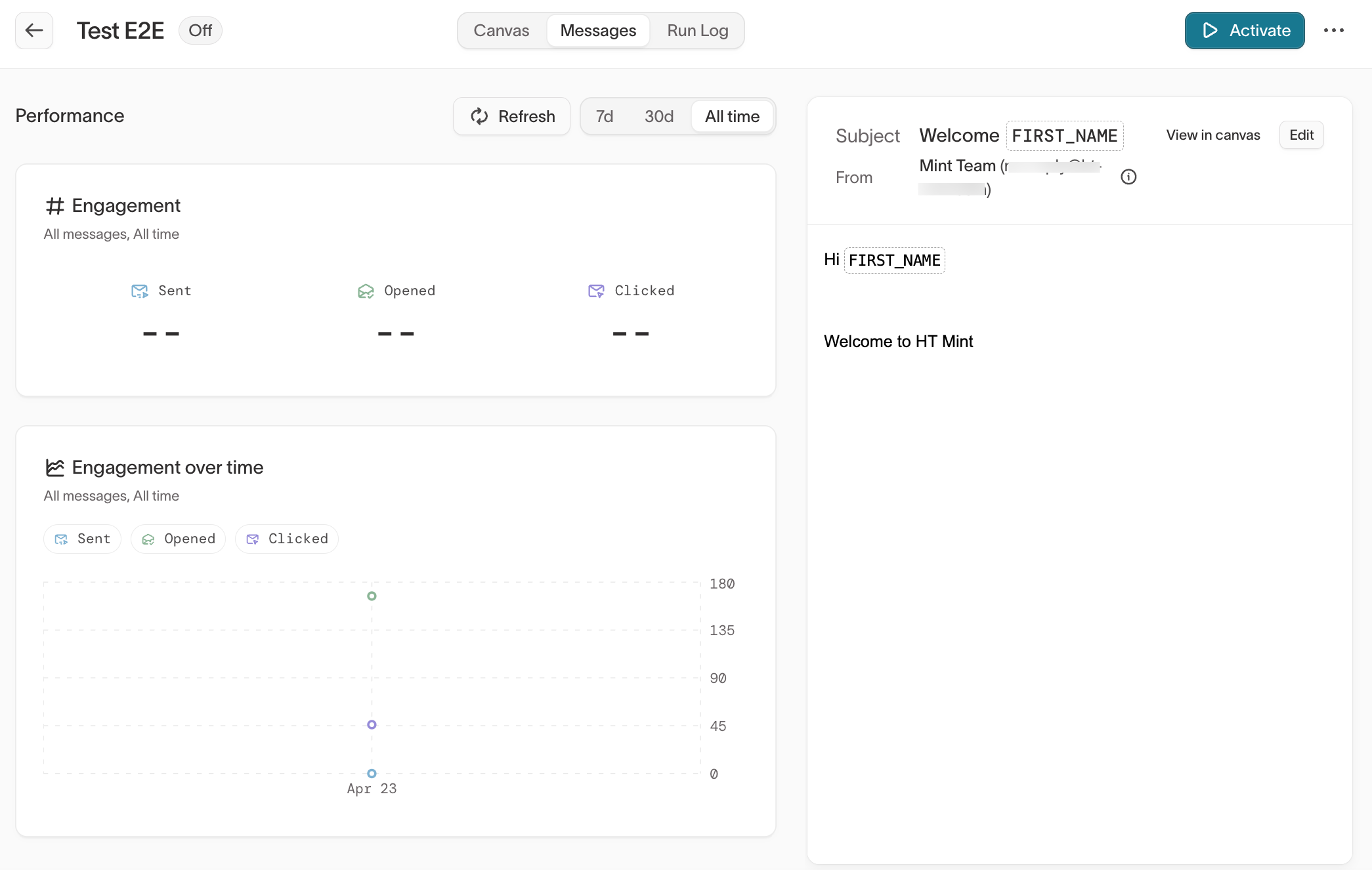
Stopping works through the journey. Pausing or stopping the journey is what stops its emails. The campaign controls in Send a campaign don't apply.
Subsets on the parent model
If the parent model has subset categories, a Send email tile applies the journey's subsets when it resolves recipients. An audience-based journey uses the entry audience's subsets. An event-based journey uses the subsets selected on its Start tile. See Subsets on event entry.
Hightouch checks the subsets again when each message is due to send. A member who stops matching after they enter the journey stays in the journey, but they aren't sent the message unless they match again before it expires.
On a parent model with a required category, the send needs a selection for it. An event-based journey with none fails to send until you select one on the Start tile. The send also fails if a subset selected on the Start tile was deleted.